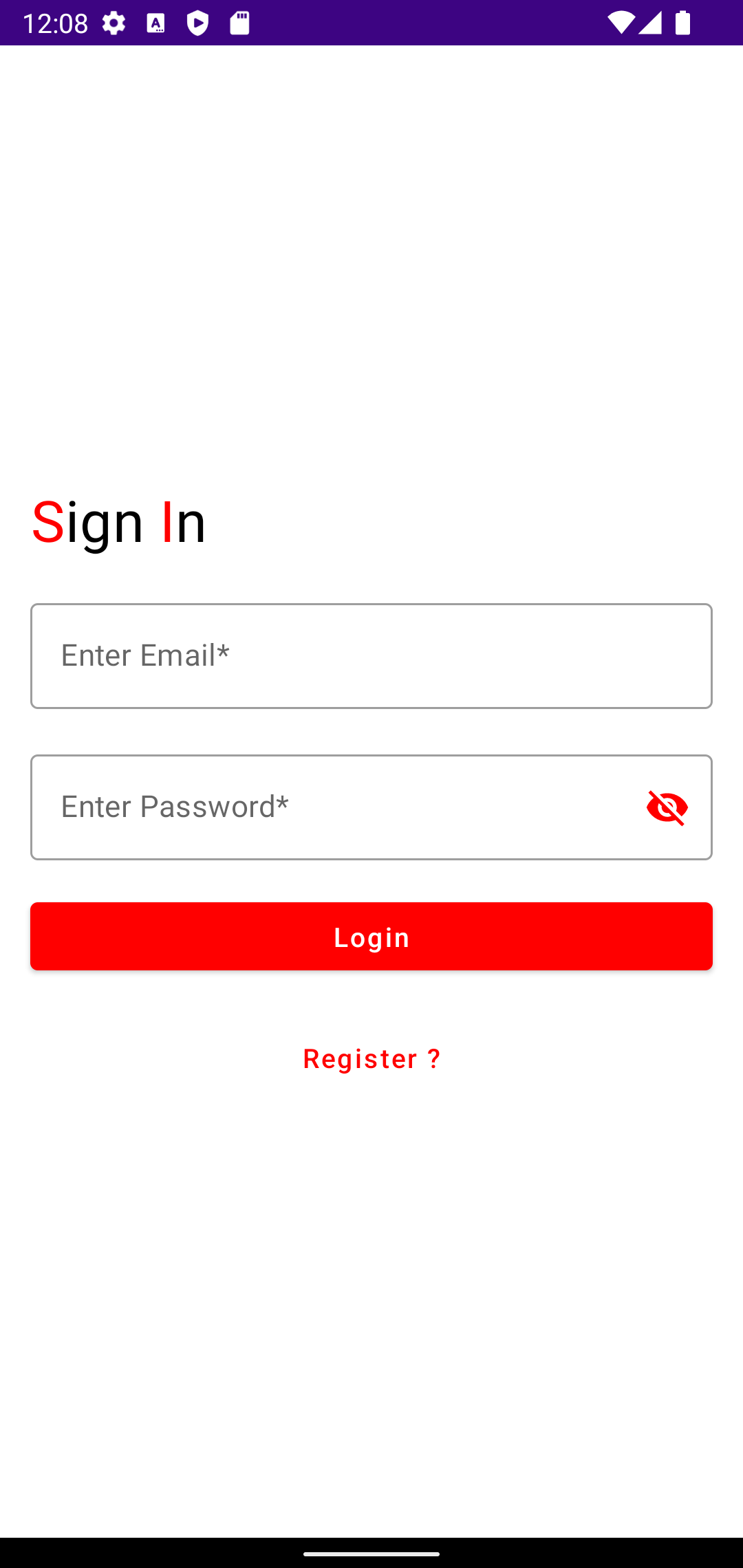
var appUpdateManager: AppUpdateManager? = null var appUpdateInfoTask: Task<AppUpdateInfo>? = null lateinit var sp: SharedPreferences lateinit var editor: SharedPreferences.Editor lateinit var sdf: SimpleDateFormat lateinit var today: Calendar lateinit var googleSignInClient: GoogleSignInClient lateinit var auth: FirebaseAuth val MY_REQUEST_CODE = 1000 var RC_SIGN_IN:Int = 1001 var TAG = "GoogleLogin"
override fun onCreate(savedInstanceState: Bundle?) { super.onCreate(savedInstanceState) val gso = GoogleSignInOptions .Builder(GoogleSignInOptions.DEFAULT_SIGN_IN) .requestIdToken(getString(R.string.default_web_client_id)) .requestEmail() .build()
appUpdateManager = AppUpdateManagerFactory.create(this@GoogleLogin) // Returns an intent object that you use to check for an update. appUpdateInfoTask = appUpdateManager!!.appUpdateInfo doUpdateCheck()
// 사용하고 10일 지나가면 ... if ((today.timeInMillis - sdf.parse(sp.getString("REVIEW_DATE",sdf.format(today.timeInMillis))).time) / (1000 * 60 * 60 * 24) > 10) { var manager = ReviewManagerFactory.create(this@GoogleLogin) var request = manager.requestReviewFlow() editor.putBoolean("REVIEW", true) editor.commit() request.addOnCompleteListener { task -> if (task.isSuccessful) { // We got the ReviewInfo object val reviewInfo = task.result if (sp.getBoolean("REVIEW", false)) { doReviseInfo(manager, this@GoogleLogin, reviewInfo) } } else { // There was some problem, log or handle the error code. @ReviewErrorCode val reviewErrorCode = (task.getException() as RuntimeExecutionException).errorCode } } } }
private fun doUpdateCheck() { // Checks that the platform will allow the specified type of update. appUpdateInfoTask!!.addOnSuccessListener { appUpdateInfo: AppUpdateInfo -> if (appUpdateInfo.updateAvailability() == UpdateAvailability.UPDATE_AVAILABLE // This example applies an immediate update. To apply a flexible update // instead, pass in AppUpdateType.FLEXIBLE && appUpdateInfo.isUpdateTypeAllowed(AppUpdateType.IMMEDIATE) ) { // Request the update. try { doRequestUpdate(appUpdateInfo) } catch (e: IntentSender.SendIntentException) { e.printStackTrace() } } } }
@Throws(IntentSender.SendIntentException::class) private fun doRequestUpdate(appUpdateInfo: AppUpdateInfo) { Log.e(TAG, "do Update Start") appUpdateManager!!.startUpdateFlowForResult( // Pass the intent that is returned by 'getAppUpdateInfo()'. appUpdateInfo, // Or 'AppUpdateType.FLEXIBLE' for flexible updates. AppUpdateType.IMMEDIATE, // The current activity making the update request. this, // Include a request code to later monitor this update request. MY_REQUEST_CODE ) }
if (requestCode == MY_REQUEST_CODE) { if (resultCode != RESULT_OK) { Log.e(TAG, "Update flow failed! Result code: $resultCode") // If the update is cancelled or fails, // you can request to start the update again. } }
if (requestCode == RC_SIGN_IN) { val task = GoogleSignIn.getSignedInAccountFromIntent(data) try { // Google Sign In was successful, authenticate with Firebase val account = task.getResult(ApiException::class.java)!! Log.e(TAG, "firebaseAuthWithGoogle: ${account.id}") firebaseAuthWithGoogle(account.idToken!!) } catch (e: ApiException) { // Google Sign In failed, update UI appropriately Log.e(TAG, "Google sign in failed ${e.message}") } } }
private fun firebaseAuthWithGoogle(idToken: String) { val credential = GoogleAuthProvider.getCredential(idToken, null) auth.signInWithCredential(credential) .addOnCompleteListener(this) { task -> if (task.isSuccessful) { // Sign in success, update UI with the signed-in user's information Log.e(TAG, "signInWithCredential:success") val user = auth.currentUser var intent = Intent(this@GoogleLogin, MainActivity::class.java) startActivity(intent) finish() } else { // If sign in fails, display a message to the user. Log.w(TAG, "signInWithCredential:failure", task.exception)
코드 구현은 kotlin으로 해 보았다. 이제 걸음마 단계이기 때문에 코드가 조금 길어질 수 도 있지만, 아직은 준비 중인 단계이기 때문에...
먼저 FCM을 수신하기 위해서는 firebase와 연동을 위한 gradle 구성이 필요하다.
import java.text.SimpleDateFormat
plugins { id 'com.android.application' id 'com.google.gms.google-services' id 'com.google.firebase.crashlytics' id 'kotlin-android-extensions' id 'kotlin-android' id 'kotlin-kapt' }
// If you want to send messages to this application instance or // manage this apps subscriptions on the server side, send the // FCM registration token to your app server. sendRegistrationToServer(token) } // [END on_new_token] /** * Handle time allotted to BroadcastReceivers. */ private fun handleNow() { Log.d(TAG, "Short lived task is done.") val intent = Intent(this@FcmReceiveService, MainActivity::class.java) intent.addFlags(Intent.FLAG_ACTIVITY_NEW_TASK) startActivity(intent) }
/** * Persist token to third-party servers. * * Modify this method to associate the user's FCM registration token with any * server-side account maintained by your application. * * @param token The new token. */ private fun sendRegistrationToServer(token: String) { // TODO: Implement this method to send token to your app server. }
/** * Create and show a simple notification containing the received FCM message. * * @param messageBody FCM message body received. */ private fun sendNotification(messageBody: String?) { val intent = Intent(this, MainActivity::class.java) intent.addFlags(Intent.FLAG_ACTIVITY_CLEAR_TOP) Log.e(TAG, "mesg=${messageBody}")
val pendingIntent = PendingIntent.getActivity( this, 0 /* Request code */, intent, PendingIntent.FLAG_IMMUTABLE ) val notificationManager = getSystemService(NOTIFICATION_SERVICE) as NotificationManager val channelId = getString(R.string.default_notification_channel_id) val channelName: CharSequence = getString(R.string.default_notification_channel_name) val importance = NotificationManager.IMPORTANCE_LOW val notificationChannel = NotificationChannel(channelId, channelName, importance) notificationChannel.enableLights(true) notificationChannel.lightColor = Color.BLUE notificationChannel.enableVibration(true) notificationChannel.vibrationPattern = longArrayOf(100, 200, 300, 400, 500, 400, 300, 200, 400) notificationManager.createNotificationChannel(notificationChannel) val defaultSoundUri = RingtoneManager.getDefaultUri(RingtoneManager.TYPE_NOTIFICATION) val notificationBuilder = NotificationCompat.Builder(this, channelId) .setSmallIcon(R.mipmap.ic_logo645_foreground) .setContentTitle(getString(R.string.fcm_message)) .setContentText(messageBody) .setAutoCancel(true) .setSound(defaultSoundUri) .extend( NotificationCompat.WearableExtender() .setBridgeTag("Foo") .setContentIcon(R.mipmap.ic_logo645_foreground) ) .setContentIntent(pendingIntent)
// Since android Oreo notification channel is needed. if (Build.VERSION.SDK_INT >= Build.VERSION_CODES.O) { val channel = NotificationChannel( channelId, "Channel human readable title", NotificationManager.IMPORTANCE_DEFAULT ) notificationManager.createNotificationChannel(channel) }
// Dismiss notification once the user touches it. notificationBuilder.setAutoCancel(true) notificationManager.notify(0 /* ID of notification */, notificationBuilder.build()) }
}
필요한 부분만 일부 수정을 했다.
이번에 또 알게 된 부분이라면 전송할 때 코드 구현에 따라 수신되는 위치가 달라진다는 것이다.