여러 가지 방법으로 다국어 앱을 만들어 보기는 합니다. 이번에는 fork 한 외국어 앱에 한국어를 담아 보도록 하겠습니다. google gemini api을 호출하는 기능을 이용해 볼 생각입니다.
# Gemini API Key AI********nPU

import google.generativeai as genai
import os
import re

baseDir = 'C:/workspaces/Smart-AutoClicker0510/'

GOOGLE_API_KEY = 'AI********nPU'
genai.configure(api_key=GOOGLE_API_KEY)


# for m in genai.list_models():
#   if 'generateContent' in m.supported_generation_methods:
#     print(m.name)

def geminiFunc(orgString):
    model = genai.GenerativeModel('gemini-pro')
    prompt = '''
    Translate English sentences '{0}' into Korean naturally. Use expressions that feel natural to Korean speakers.
    '''.format(orgString)
    response = model.generate_content(prompt)
    try:
        rValue = response.text
    except:
        rValue = ''
        for item in response.parts:
            rValue = rValue + item
    rValue = re.sub("'","", rValue)
    return rValue.strip()


def getTranslate(line):
    xList = line.split('>')
    try:
        xItem = xList[1].split('<')[0]
    except:
        xItem = xList[1]
    return geminiFunc(xItem)


def getName(line):
    xName = line.strip().split('"')
    return xName[1]


def doRead(path, fileName):
    path = re.sub(r"\\", '/', path)
    xPath = path.split('/')
    xPath[xPath.index('values')] = 'values-ko'
    nPath = '/'.join(xPath)
    f = open(fileName, 'r', encoding='UTF-8')
    if not os.path.isdir(nPath):
        os.makedirs(nPath)
    ot = open(os.path.join(nPath, 'strings.xml'), 'w', encoding='UTF-8')
    rValue = ''
    rName = ''
    addTy = False
    while True:
        line = f.readline()
        if not line: break
        if line.strip() == '': continue
        try:
            if line.strip().startswith('<string name') and '</string>' in line and 'false' not in line:
                rValue = getTranslate(line)
                rName = getName(line)
                rValue = '<string name="{0}">{1}</string>'.format(rName, rValue)
                print(rValue.strip())
                ot.write(rValue + '\n')
                addTy = False
            elif line.strip().startswith('<string name') and '</string>' not in line and 'false' not in line:
                rValue = line.strip().split('>')[1]
                rName = getName(line)
                addTy = True
            elif addTy and '</string' in line:
                rValue += line.strip().split('<')[0]
                rValue = geminiFunc(rValue)
                rValue = '<string name="{0}">{1}</string>'.format(rName, rValue)
                print(rValue.strip())
                ot.write(rValue + '\n')
                rValue = ''
                addTy = False
            else:
                if addTy:
                    rValue += line
                else:
                    rValue = line
                    print(rValue.strip())
                    ot.write(rValue + '\n')
        except:
            print(path, fileName, line)
    ot.close()
    f.close()


print('JOB START...')
for (root, directory, files) in os.walk(baseDir):
    for file in files:
        if not ('values-' not in root and 'strings.xml' in file): continue
        print(root, file)
        doRead(root, os.path.join(root, file))
print('JOB END...')
이전 글에서도 한번 해 보았던 기억이 있기는 합니다. 이번에 조금 더 수정을 해 보았습니다.
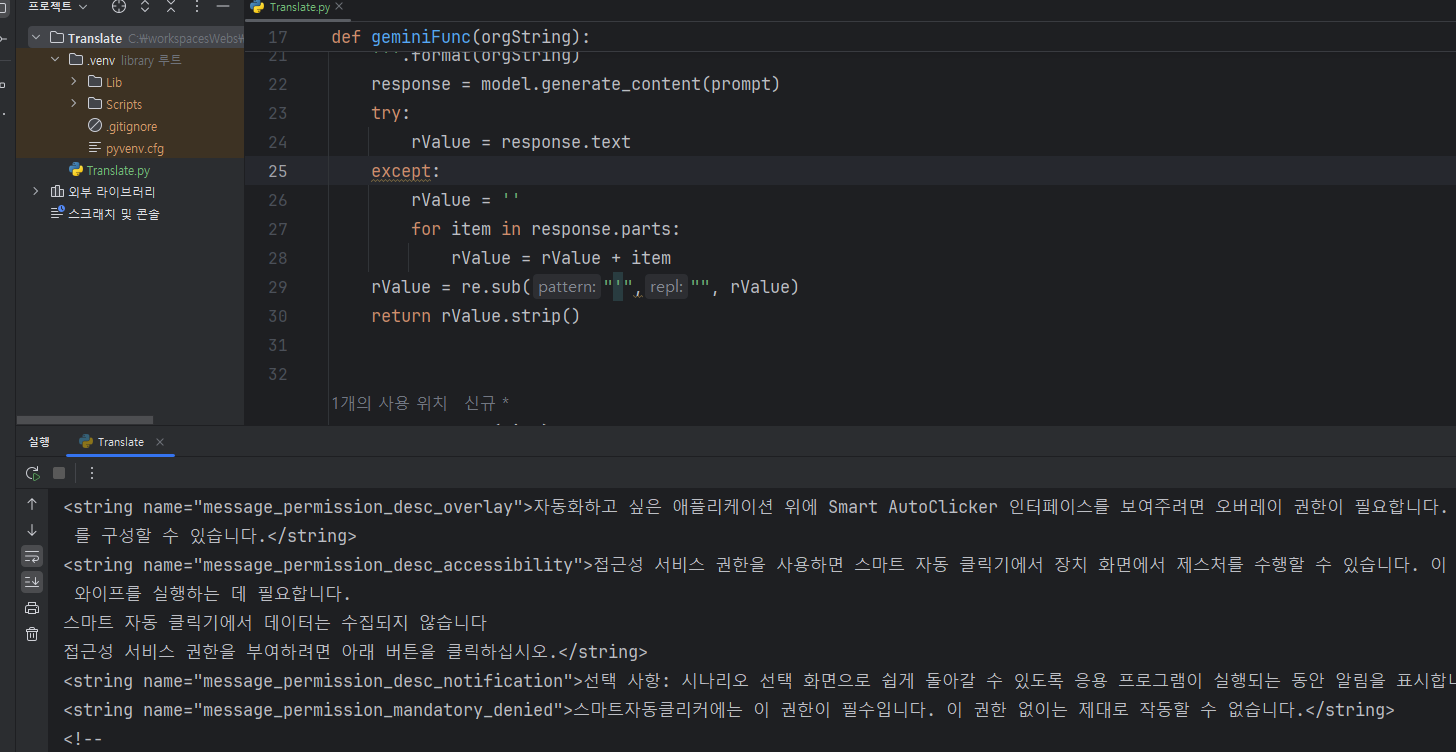
이번에는 앱에 정리 되어 있는 strings.xml 파일을 찾아서 한 줄씩 읽어 한국어 파일을 만들고 values-ko 폴더에 저장하는 것 까지을 한 번에 해 보았습니다. 그렇게 하고 앱을 실행해 보면 한국 어을 모르던 앱이 한국어를 표시하게 됩니다.
다만, gemini api 을 호출할 때 번역을 조금 자연스럽게 해 달라고 prompt을 만들었더니, 조금은 앱이 이상한(?) 표현을 할 수 도 있습니다.
prompt = '''
Translate English sentences '{0}' into Korean naturally. Use expressions that feel natural to Korean speakers.
'''.format(orgString)
번역은 자연스럽게 하기는 하겠지만, 그런 것이 앱에서 표현 되는 게 맞는 가 싶기도 합니다. 아무튼...
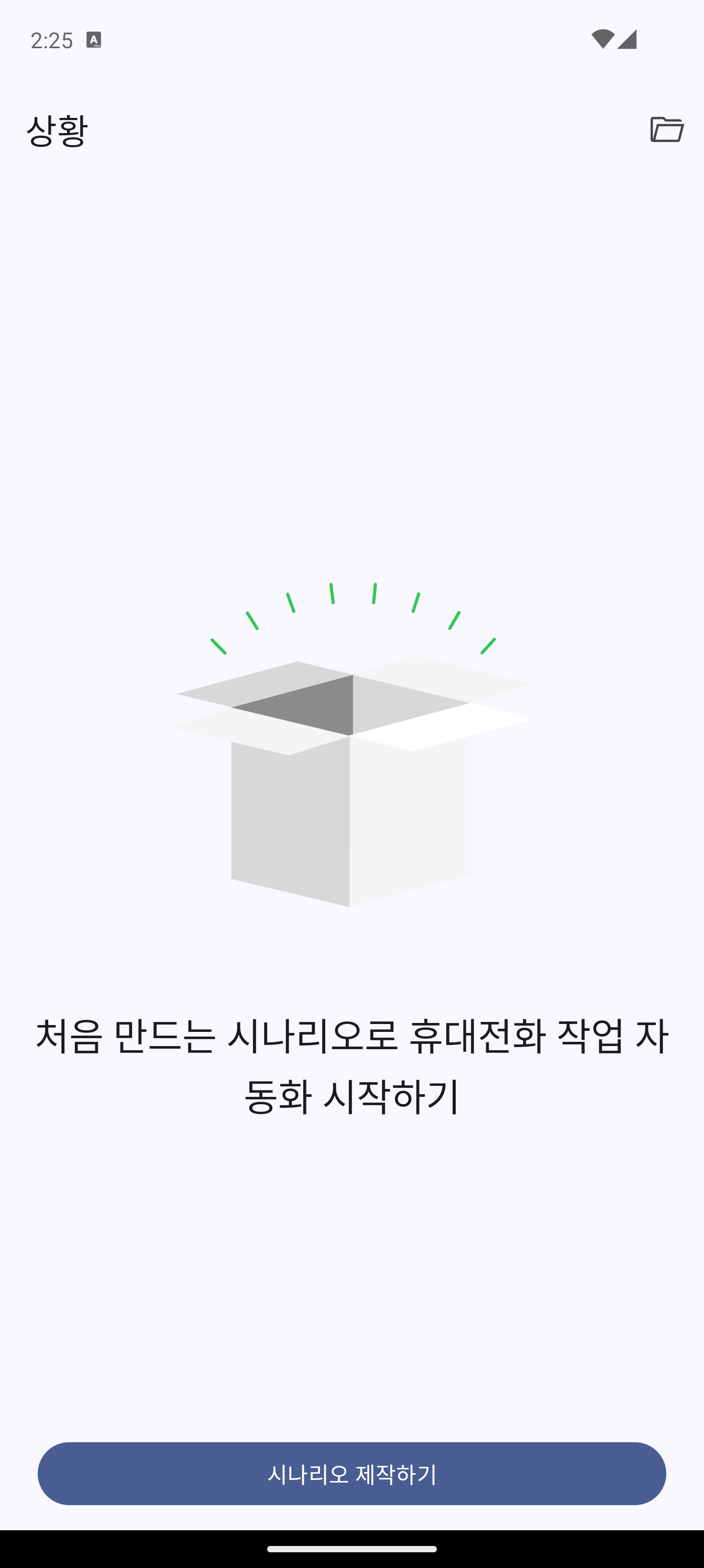
한국어로 표시를 하기 시작했습니다. ㅋ~
한국어가 표시 되도록 수정된 github 링크을 공유해 드려요. 원작자의 코드을 fork 해서 수정한 버전 임을 알려 드려요.
https://github.com/nari4169/Smart-AutoClicker
GitHub - nari4169/Smart-AutoClicker: An open-source auto clicker on images for Android
An open-source auto clicker on images for Android. Contribute to nari4169/Smart-AutoClicker development by creating an account on GitHub.
github.com


댓글 없음:
댓글 쓰기