2026/03/30

오늘의 이야기

Retrofit interview 질문과 설명

• 레트로핏은 안드로이드 및 자바/코틀린용 타입 세이프 HTTP 클라이언트로 RESTful API 소비를 단순화합니다.

• 주석을 사용하여 API 엔드포인트와 요청/응답 유형을 정의하여 웹 서비스에서 더 쉽게 작업할 수 있습니다.

• Retrofit은 동적 URL 매개 변수, 파일 업로드 및 사용자 정의 오류 처리를 지원합니다.

• RxJava 및 Kotlin Coroutines와 통합하여 비동기 네트워크 요청을 수행할 수 있습니다.

• 레트로핏은 API 요청의 다양한 측면을 정의하기 위해 @GET, @POST, @PUT, @DELETE, @Path, @Query, @Body 및 @Headers과 같은 주석을 제공한다.

https://medium.com/@sujathamudadla1213/android-retrofit-interview-questions-eefdef6dc09c

Android Retrofit interview questions.

1.What is Retrofit, and how does it simplify the process of making network requests in Android applications?

medium.com

retrofit api


오늘의 이야기

제트팩 컴포즈의 LazyList 항목 애니메이션 미리보기

• LazyColumn과 LazyRow는 제트팩 컴포즈에서 가장 많이 사용되는 구성 요소 중 하나지만, 2020년에 처음 보고된 목록 항목의 애니메이션 문제는 오래되었습니다.

• 새로운 업데이트는 페이드 인 및 페이드 아웃 전환만 가능하게 하는 방법을 제공하지만 올바른 방향으로 가는 단계입니다.

• 컴포즈 파운데이션 라이브러리의 버전 1.7.0-alpha06을 시작으로 배치뿐만 아니라 외관 및 실종을 위해 항목을 애니메이션화할 수 있습니다.

https://medium.com/@gregkorossy/animating-lazylist-items-in-jetpack-compose-6b40f94aaa1a

Animating LazyList items in Jetpack Compose

LazyColumn and LazyRow items can finally be animated when being added to or removed from the list

medium.com

jetpack compose


오늘의 이야기


#스하리1000명프로젝트,
Às vezes é difícil conversar com trabalhadores estrangeiros, certo?
Fiz um aplicativo simples que ajuda! Você escreve na sua língua e os outros veem na deles.
Ele é traduzido automaticamente com base nas configurações.
Muito útil para bate-papos fáceis. Dê uma olhada quando tiver uma chance!
https://play.google.com/store/apps/details?id=com.billcoreatech.multichat416


오늘의 이야기

IntelliJ IDE에 ChatGPT 통합 플러그인 출시

• IntelliJ IDE용 ChatGPT 통합 플러그인이 출시되었습니다.

• 이 플러그인을 사용하면, IntelliJ IDE에서 바로 ChatGPT에 질문을 하고 답변을 코드에 붙여넣을 수 있습니다.

• 또한, 선택한 코드를 ChatGPT로 보내서 분석이나 개선을 요청할 수도 있습니다.

• 이 플러그인은 오픈 소스이며, GitHub에서 다운로드할 수 있습니다.

• 플러그인을 사용하려면, ChatGPT API 토큰을 생성해야 합니다.

https://proandroiddev.com/make-ai-write-code-for-you-before-ai-replaces-you-e455b8b95c29

Make AI write code for you before it replaces you

Maybe it will… Maybe it won't… Nobody knows. But now, it can help you be even more productive (or spend less time working 😉).

proandroiddev.com

hilt


오늘의 이야기

2024년 안드로이드 개발을 위한 궁극의 코틀린 가이드

• 코틀린은 2024년 안드로이드 개발을 위한 선호 언어로 자리 잡았습니다.

• 코틀린은 간결성, 널 안전, 현대적인 기능, 자바와의 상호 운용성으로 안드로이드 개발자에게 인기가 있습니다.

• 코틀린을 배우려면 안드로이드 스튜디오를 설정하고, 학습 자원을 활용하고, 연습을 통해 이해를 공고히 합니다.

• 코틀린 코딩 규약을 따르고, 표준 도서관을 사용하고, 코루틴의 장점을 취하고, 데이터 클래스를 사용합니다.

• 코드를 테스트하고, 의존성 주입을 사용하고, 기능 프로그래밍을 탐색하고, 멀티플랫폼 개발을 고려합니다.

https://melisarudenko.medium.com/the-ultimate-guide-to-kotlin-for-android-development-in-2024-sstech-system-52ccfda3e898


The Ultimate Kotlin Guide for Android Development in 2024

• Cotlin became the preferred language for Android development in 2024.

• Cotlin is popular with Android developers for its conciseness, null safety, modern features, and interoperability with Java.

• To learn Kotlin, set up Android studios, utilize learning resources, and solidify your understanding through practice.

• Follow the Cotlin Coding Code, use a standard library, take advantage of Corutin, and use data classes.

• Test code, use dependency injection, explore functional programming, and consider developing multi-platforms.

https://melisarudenko.medium.com/the-ultimate-guide-to-kotlin-for-android-development-in-2024-sstech-system-52ccfda3e898

The Ultimate Guide to Kotlin for Android Development in 2024 | SSTech System

The Android landscape has evolved significantly, and in 2024, Kotlin reigns supreme as the preferred language for building innovative and…

melisarudenko.medium.com

kotlin


오늘의 이야기


#billcorea #운동동아리관리앱
🏸 Schneedle, um aplicativo obrigatório para clubes de badminton!
👉 Match Play – Grave pontuações e encontre oponentes 🎉
Perfeito para qualquer lugar, sozinho, com amigos ou em um clube! 🤝
Se você gosta de badminton, definitivamente experimente

Acesse o aplicativo 👉 https://play.google.com/store/apps/details?id=com.billcorea.matchplay


오늘의 이야기

Hilt는 안드로이드 앱 개발을 위한 의존성 주입 라이브러리로, Dagger를 기반으로 하여 더 쉽고 편리하게 의존성 주입을 구현할 수 있도록 도와줍니다. Hilt는 Dagger의 강력한 기능을 활용하면서도, 안드로이드 생명주기와 잘 통합되고, 설정이 자동화되며, 보일러플레이트 코드를 줄여주는 등의 이점을 제공합니다. 이를 통해 개발자는 더 빠르고 쉽게 안드로이드 앱을 개발할 수 있습니다


Definition of HILT


a handle especially of a sword or dagger… See the full definition


www.merriam-webster.com


Hilt를 안드로이드 프로젝트에 사용하면 다음과 같은 장점이 있습니다:


  1. 코드 재사용성: Hilt를 사용하면 코드를 더 잘 재사용할 수 있습니다 .

  2. 리팩토링 용이성: Hilt는 의존성을 관리하는 표준 방법을 제공하여 리팩토링을 용이하게 합니다 .

  3. 테스트 용이성: Hilt를 사용하면 테스트가 더 쉬워집니다. 의존성 주입을 통해 모의 객체(mock)를 쉽게 주입할 수 있어 테스트가 간편해집니다 .

  4. 보일러플레이트 감소: Hilt는 수동으로 의존성 주입을 하는 번거로움을 줄여줍니다. 모든 클래스와 그 의존성을 수동으로 구성하는 대신, Hilt는 이를 자동으로 관리해 줍니다 .

  5. 자동화된 생명주기 관리: Hilt는 안드로이드 클래스의 컨테이너를 제공하고 자동으로 생명주기를 관리하여, 개발자가 이에 신경 쓸 필요가 없게 해 줍니다 .

  6. Dagger의 장점 활용: Hilt는 Dagger 위에 구축되어 있어, 컴파일 시간의 정확성, 런타임 성능, 확장성 및 안드로이드 스튜디오 지원과 같은 Dagger의 장점을 그대로 활용할 수 있습니다 .


Hilt는 안드로이드 개발에서 의존성 주입을 더 쉽고 효율적으로 만들어주는 강력한 도구입니다.


https://dagger.dev/


Dagger


Dagger is a fully static, compile-time dependency injection framework for Java, Kotlin, and Android. It is an adaptation of an earlier version created by Square and now maintained by Google. The latest Dagger release is: Dagger 2.51.1 Dagger aims to addres


dagger.dev


Dagger와 Hilt는 모두 안드로이드 앱 개발에 사용되는 의존성 주입(Dependency Injection) 라이브러리입니다. 그러나 두 라이브러리 사이에는 몇 가지 중요한 차이점이 있습니다:


  1. 설정의 자동화: Hilt는 Dagger의 설정 코드를 자동으로 생성하여, 개발자가 많은 보일러플레이트 코드를 작성할 필요가 없게 해 줍니다 .

  2. 컴포넌트 관리: Dagger에서는 @Component 어노테이션을 사용하여 의존성 그래프를 수동으로 생성해야 하지만, Hilt에서는 @HiltAndroidApp 어노테이션을 사용하여 이 과정을 자동화합니다 .

  3. 생명주기와 스코프: Dagger에서는 개발자가 직접 스코프 어노테이션을 생성해야 하지만, Hilt는 안드로이드의 주요 컴포넌트(애플리케이션, 액티비티, 프래그먼트 등)에 대한 기본 스코프를 제공합니다 .

  4. 통합 및 호환성: Hilt는 Dagger를 기반으로 구축되었으며, Dagger의 기능을 활용하면서도 안드로이드 앱 개발에 더 특화된 기능과 통합을 제공합니다 .


이러한 차이점들은 Hilt를 사용함으로써 개발자가 더 쉽고 빠르게 의존성 주입을 구현할 수 있게 해 주며, Dagger의 복잡성을 줄여줍니다. 그러나 Dagger 자체도 매우 강력하고 유연한 의존성 주입 라이브러리이며, 세밀한 제어가 필요한 경우에는 여전히 유용합니다.


Hilt 이미지


여기 까지는 coPilot와 알아본 Hilt 이야기입니다.


오늘의 이야기

제트팩 컴포즈의 핵심 개념과 효과 핸들러

• 제트팩 컴포즈의 핵심 개념과 효과 핸들러에 대해 설명합니다.

• 컴포저블은 데이터를 UI 요소로 변환하는 함수입니다.

• 구성은 컴포저블을 실행하여 UI의 청사진을 만드는 과정입니다.

• 레이아웃은 UI 요소를 배치하는 위치를 결정하는 과정입니다.

• 도면은 UI 요소를 캔버스/장치 화면에 렌더링하는 과정입니다.

https://blog.kotlin-academy.com/the-lesson-we-skipped-in-jetpack-compose-255d61db6f12

The Lesson we Skipped in Jetpack Compose ☄

Core concepts of Composables and its helping hands — Episode III

blog.kotlin-academy.com


Key Concepts and Effects Handlers of Jetpack Compose

• Describes the core concepts and effect handlers of Jetpack Compose.

• Composible is a function that converts data into UI elements.

• The configuration is the process of creating a blueprint for the UI by running the Composible.

• Layout is the process of determining where to place UI elements.

• The drawing shows the process of rendering UI elements on canvas/device screen.

https://blog.kotlin-academy.com/the-lesson-we-skipped-in-jetpack-compose-255d61db6f12

The Lesson we Skipped in Jetpack Compose ☄

Core concepts of Composables and its helping hands — Episode III

blog.kotlin-academy.com


오늘의 이야기


#스하리1000명프로젝트,
In Korea verloren? Auch wenn Sie kein Koreanisch sprechen, hilft Ihnen diese App dabei, sich problemlos fortzubewegen.
Sprechen Sie einfach Ihre Sprache – es übersetzt, sucht und zeigt Ergebnisse in Ihrer Sprache an.
Ideal für Reisende! Unterstützt mehr als 10 Sprachen, darunter Englisch, Japanisch, Chinesisch, Vietnamesisch und mehr.
Probieren Sie es jetzt aus!
https://play.google.com/store/apps/details?id=com.billcoreatech.opdgang1127


2026/03/29

오늘의 이야기


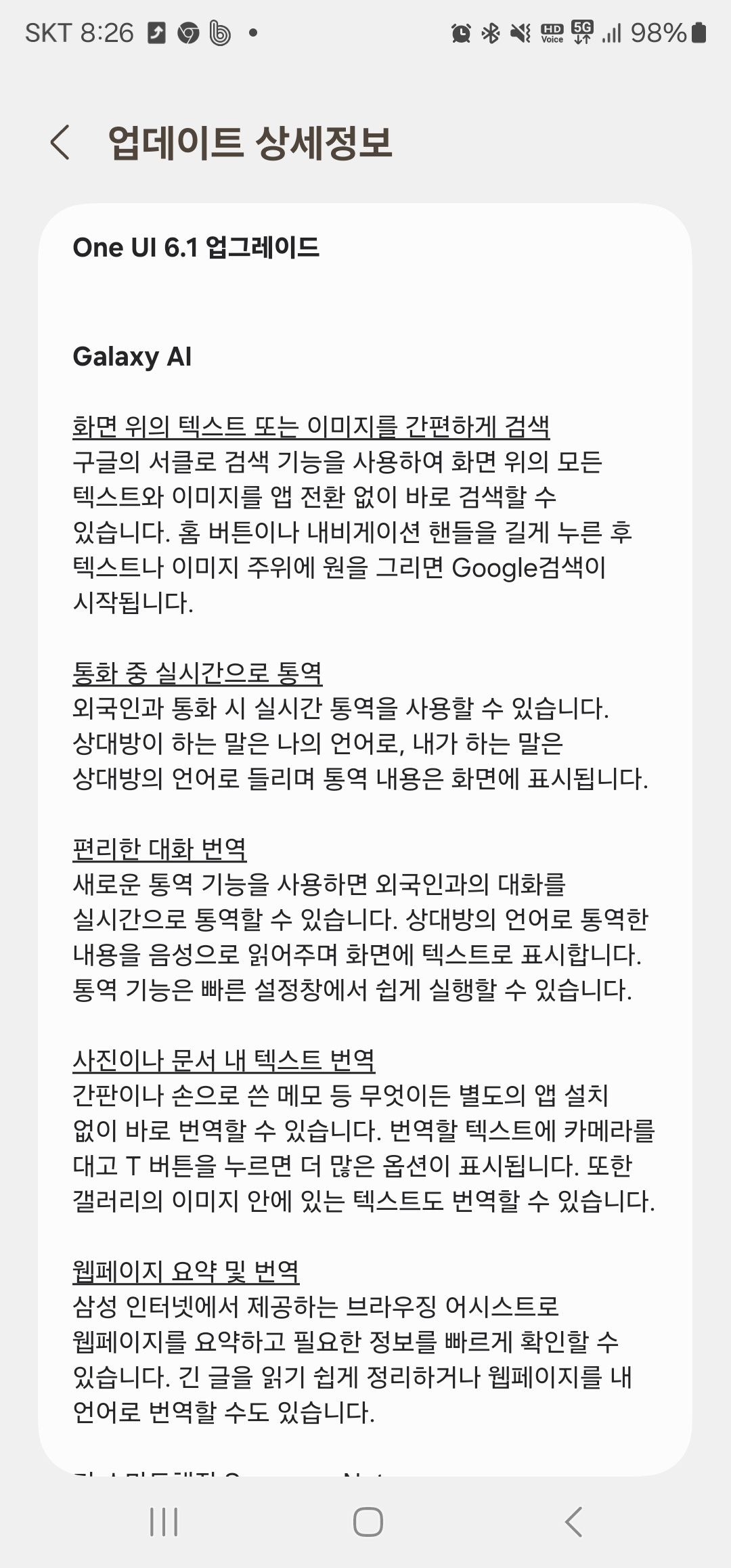
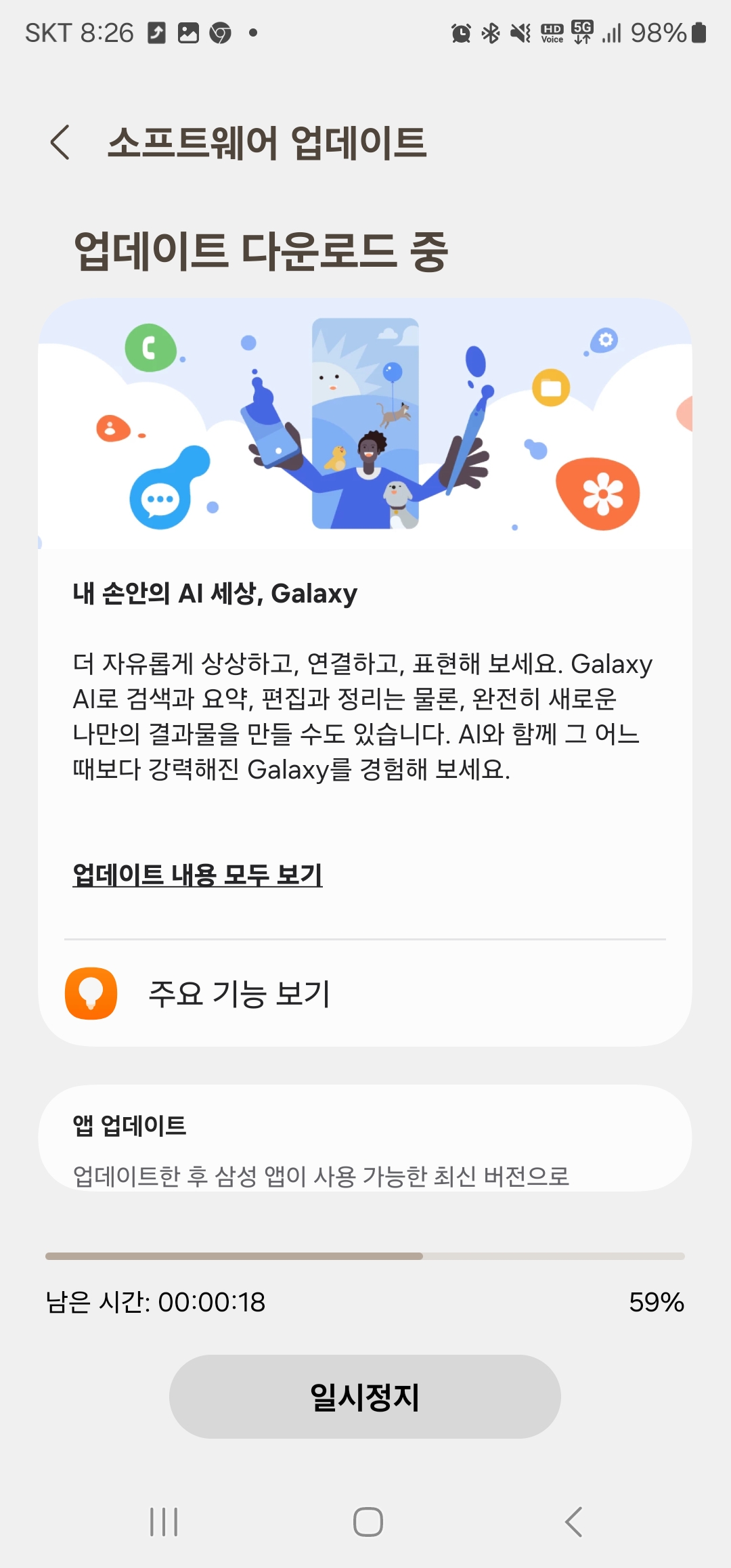
엡데이트


업데이트를 해 봅니다.  이제 갤럭시 S23에서도 AI을 사용해 이런 저런 걸 해 볼 수 있을까요???


오늘의 이야기


봄 기운이 완연 합니다.
처음 와 봅니다.


오늘의 이야기

Jetpack Compose에서 Jetpack Media3를 사용하여 미디어 플레이어 앱 구축 미디어 플레이어 • Jetpack Media3는 Android에서 미디어 플레이어 앱을 구축하기 위한 강력한 프레임워크를 제공하며, ExoPlayer는 플레...